
Introduction
mocante is a desktop app for running coding agents such as Claude Code, Codex, opencode and pi, and plain shells, on your own machine and on remote machines over SSH. It shows you every agent in one place, tells you which ones need you, and takes you straight to the right terminal.
Who it is for
Section titled “Who it is for”mocante is for you if you run several agents at once and you are tired of switching between terminal tabs to find the one that waits for an answer. It suits you best when you:
- run agents in more than one repository or on more than one branch at a time,
- work on remote machines, such as a VM or a build server, as well as on your laptop,
- want to review and commit an agent’s changes without leaving the terminal it runs in.
What it does
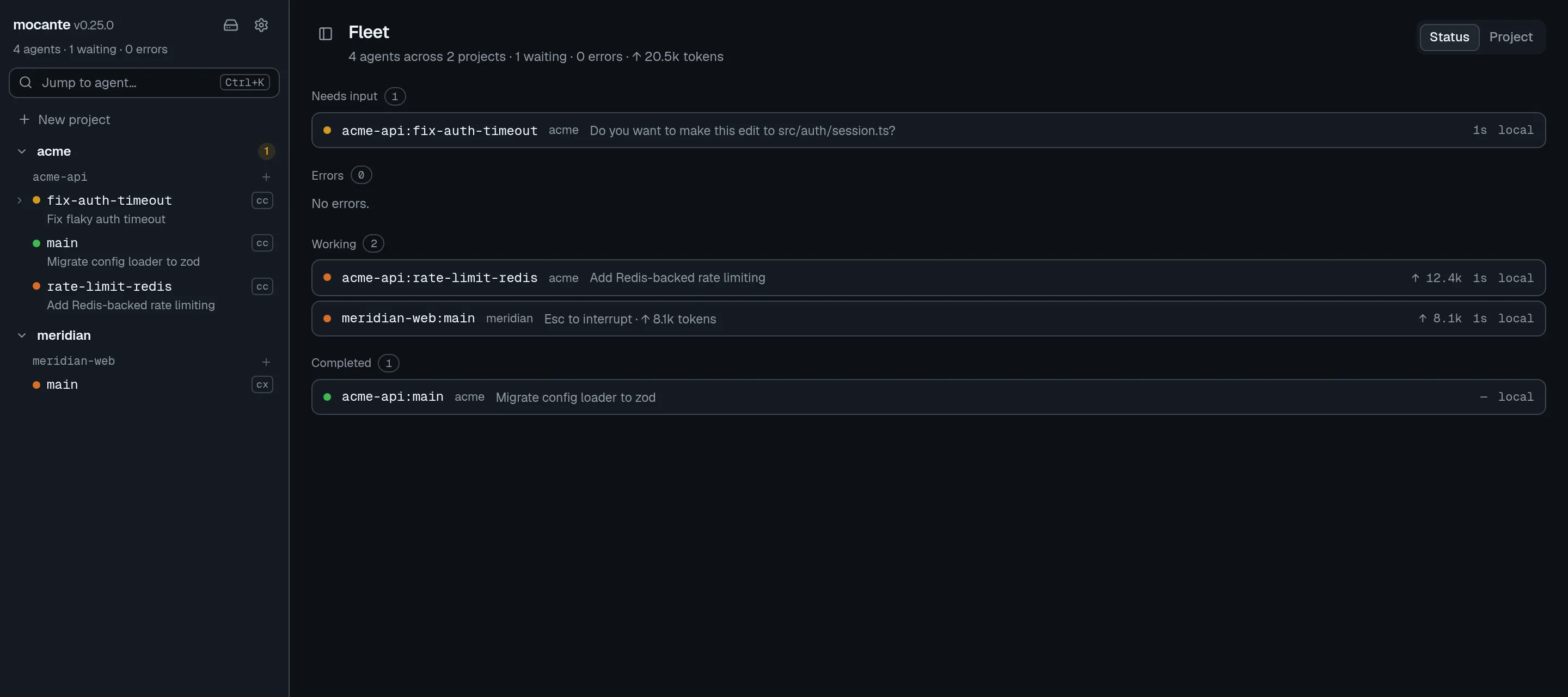
Section titled “What it does”- Shows every agent at a glance. The fleet view lists agents that need input first, then errors, then working, completed and idle agents. When an agent starts to wait while you look elsewhere, a desktop notification opens its tab when you click it. See the fleet view.
- Detects agents on its own. There is no agent picker. Start
claude,codex,opencodeorpiin any shell tab, and mocante recognizes it and tracks its status. See agents. - Keeps your sessions alive. Every session is a real tmux session on the machine it runs on. It keeps running when you quit the app, close your laptop or lose the connection.
- Works on remote machines. mocante reaches remote hosts with the
sshyou already use, so your~/.ssh/config, keys, agent andProxyJumpapply. A remote host needs only tmux and git. See remote hosts. - Gives each session its own git worktree. A session on a git repository works on its own branch in its own directory. The git panel and the code view let you read the diff, commit, push and open a pull request. See git workflow and code view.
- Picks up what is already running. tmux sessions that you started by hand show on the Hosts page, and you can adopt them into a project.
How it fits together
Section titled “How it fits together”You organize work as projects. A project has workspaces, which are directories on a host. A workspace has sessions, and each session has tabs: shells and agents. Concepts explains each of these.
Next steps
Section titled “Next steps”- Install mocante and the tools it needs.
- Start your first session and run an agent in it.